Auto Attendant Cloud Phone System: The Smart Way to Manage Business Calls

BLOG
Auto Attendant Cloud Phone System: The Smart Way to Manage Business Calls
-
Auto Attendant Cloud Phone System: The Smart Way to Manage Business Calls
-
Benefits of Cloud Communication for Business
-
Business Phone Systems: How to Choose, Deploy & Scale in 2025
-
Cloud Based Unified Communications: The Future of Business Communication
-
Cloud-Based Voicemail to Email: A Smarter Way to Stay Connected
-
Cloud Communications vs Traditional Phone Systems: Which One Is Right for Your Business?
-
Cloud Phone Systems for Remote Teams: Stay Connected from Anywhere
-
Cloud VoIP Solutions: Everything You Need to Know for 2025
-
Disaster Recovery in Cloud Communications: Why It’s Critical for Business Continuity
Auto Attendant Cloud Phone System: The Smart Way to Manage Business Calls
An Auto Attendant Cloud Phone System automatically answers and routes business calls without human intervention. Ideal for businesses using VoIP phone systems, it enhances professionalism, improves caller experience, and integrates seamlessly with Microsoft 365 or Google Workspace tools.
Introduction: Smarter Call Handling for the Modern Business
In today’s digital-first world, your business phone system is more than just a line — it’s a customer experience gateway. Whether you’re a startup, a growing SMB, or a distributed enterprise, missing or mishandling calls could mean lost revenue.
That’s where an Auto Attendant Cloud Phone System steps in — offering a professional, automated call routing experience that’s flexible, scalable, and cost-effective.
If you’re looking to add a business line to your cell phone, create a business phone number free, or buy a landline number for mobile, this technology is your best bet.
What Is an Auto Attendant in a Cloud Phone System?
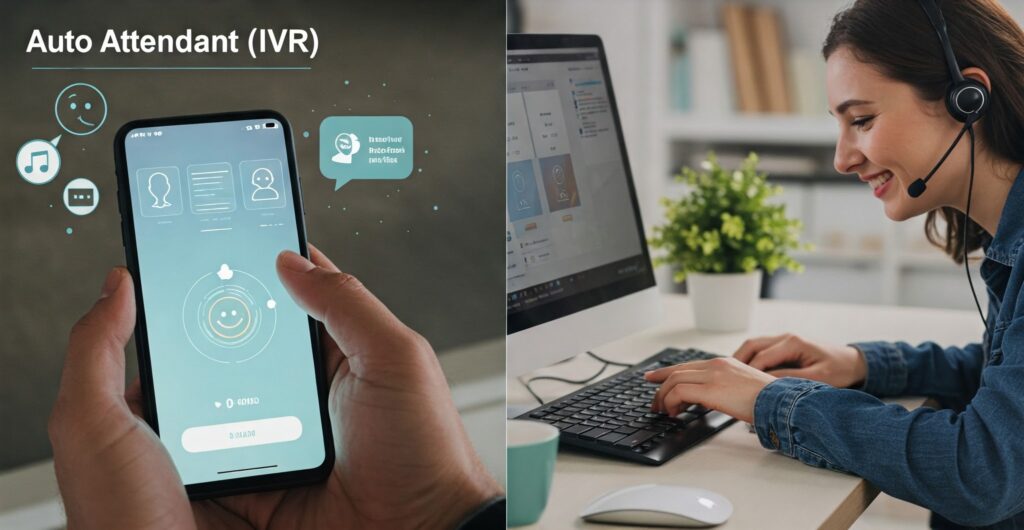
An Auto Attendant is a virtual receptionist built into your cloud phone for business. It greets callers, presents menu options (“Press 1 for Sales, Press 2 for Support”), and routes them to the right extension or voicemail — all without a live operator.
How It Works:
- Incoming calls are received on your VoIP phone or virtual telephone number.
- The Auto Attendant answers with a custom greeting.
- Callers choose from a set of IVR (Interactive Voice Response) options.
- The system routes the call to the appropriate department, extension, voicemail, or even a video meeting platform.
Ideal For:
- Businesses using Microsoft 365 Suite or Google Workspace.
- Teams needing multiple phone lines under one number.
- Companies seeking 24/7 call coverage via a virtual answering machine.
Why Your Business Needs an Auto Attendant
Project a Professional Image
A well-branded, automated greeting sets a strong first impression — even for small businesses using free 1800 number apps or toll-free numbers.
Handle High Call Volumes
No need to hire additional receptionists. An Auto Attendant manages hundreds of calls, routing them to the right place — even during free conference calls or busy periods.
Reduce Missed Calls & Voicemails
Connect callers instantly with the correct department using an interactive voice response system, reducing bounce rates and enhancing customer satisfaction.
Flexibility for Remote Teams
Easily integrate with Microsoft Teams, Slack Connect, or Google Hangouts. Your staff can answer business calls on the go on mobile, softphones, or desk phones.
Key Features to Look For
Multi-Level IVR (Integrated Voice Response)
Support for layered menus: “Press 1 for English, Press 2 for French” before routing to departments.
Mobile Integration
Add a business line to your cell phone or use the best business phone line app to manage calls from anywhere.
Voicemail to Email
Auto attendants forward missed calls as voicemails to your Microsoft 365 email or Gmail Workspace, making follow-up effortless.
Custom Call Routing
Send calls to office phone systems in Canada, remote agents, VoIP phones, or even virtual numbers for free.
Smart Scheduling
Customize call flows for business hours, holidays, and after-hours using integrated calendar tools in Office 365 or Google Workspace.
Use Case Scenarios
Small Business Owner
You run a bakery and want to handle orders, vendor calls, and customer inquiries efficiently. With a cloud phone for business and Auto Attendant, customers hear:
“Welcome to Sweet Treats Bakery. Press 1 for Orders, 2 for Pickup, 3 for Store Hours.”
All calls are routed to your mobile, helping you stay on top without extra staff.
Law Firm with Remote Staff
A legal team using a VoIP provider for business and Microsoft 365 apps sets up different IVRs for legal intake, billing, and emergencies. Calls are routed to partners working remotely, enabling flexibility and efficiency.
SaaS Startup
A tech company managing global support uses a business phone with extensions, call queues, and IVR all integrated with their Google Workspace email and video meeting platforms like UberConference or Microsoft Teams.
Benefits of Choosing a Cloud-Based Auto Attendant
- Zero Hardware: No need to install complex PBXs — just configure and go.
- Scalable: Easily update call flows as you grow.
- Affordable: Works with free virtual telephone numbers, buy 888 numbers, or get a free toll-free number.
- Integrates with Existing Tools: Seamless compatibility with Microsoft 365, Gsuite pricing tiers, and more.
- Supports Conferencing: Route callers to a free conference call, web meeting apps, or a virtual meeting platform.
Internal Links You Can Add
- What is Cloud PBX? Everything You Need to Know
- Cloud Phone Systems for Remote Teams
- Hosted PBX for Small Business
Conclusion: Upgrade Your Call Experience Today
An Auto Attendant Cloud Phone System is no longer a luxury — it’s a necessity for modern businesses aiming for agility, professionalism, and scalability. Whether you’re a solopreneur or managing a call-heavy enterprise, automating your call flows through a VoIP-based auto attendant will revolutionize your communication strategy.
📞 Ready to streamline your business communication? Get a Free Quote or Book a Demo Today.
FAQ: Auto Attendant Cloud Phone System
❓ How do I set up an auto attendant on a cloud phone system?
Most VoIP providers for business offer a simple dashboard to create greetings, menu options, and routing rules.
❓ Can I use an auto attendant with Microsoft 365 or Google Workspace?
Yes, cloud systems integrate with Microsoft 365 Suite, Outlook, Google Workspace email, and other platforms for scheduling and voicemail delivery.
❓ What’s the cost of adding an auto attendant?
Costs vary, but many plans offer it as a standard feature. You can often create a business phone number free or use a free 1800 number app to get started.