Mobile Apps for Cloud Phone Systems: Transform How Your Business Connects


BLOG
Mobile Apps for Cloud Phone Systems: Transform How Your Business Connects
-
CRM Integration with Cloud Phone Systems
-
Mobile Apps for Cloud Phone Systems: Transform How Your Business Connects
-
Remote Work Solutions with Cloud Communication
-
Secure Cloud Communication for Finance
-
Hosted PBX for Small Business: The Ultimate 2025 Guide
-
Auto Attendant Cloud Phone System: The Smart Way to Manage Business Calls
-
Benefits of Cloud Communication for Business
-
Business Phone Systems: How to Choose, Deploy & Scale in 2025
-
Cloud Based Unified Communications: The Future of Business Communication
-
Cloud-Based Voicemail to Email: A Smarter Way to Stay Connected
-
Cloud Communications vs Traditional Phone Systems: Which One Is Right for Your Business?
-
Cloud Phone Systems for Remote Teams: Stay Connected from Anywhere
-
Cloud VoIP Solutions: Everything You Need to Know for 2025
-
Disaster Recovery in Cloud Communications: Why It’s Critical for Business Continuity
Mobile Apps for Cloud Phone Systems: Transform How Your Business Connects
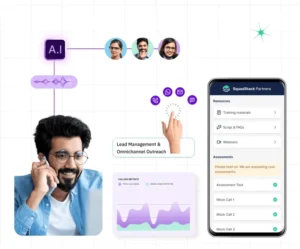
Mobile apps for cloud phone systems enable businesses to make and receive calls, manage voicemail, and join virtual meetings from anywhere using smartphones or tablets—boosting flexibility, scalability, and cost-efficiency.
Introduction: Your Business Phone, Anywhere You Go
Today’s businesses are mobile-first. Whether you’re running a startup, managing a small team, or overseeing a remote workforce, mobile apps for cloud phone systems provide the flexibility and control traditional systems can’t match. No more being tied to desk phones or clunky hardware. Just seamless, cloud-powered communication from your smartphone.
In this blog, we’ll explore how cloud phone system apps work, what benefits they offer, and how they integrate with tools like Microsoft 365 and Google Workspace—helping you save costs, increase productivity, and manage multiple business lines efficiently.
What Are Mobile Apps for Cloud Phone Systems?
Mobile apps designed for cloud phone for business allow users to:
- Dial a phone number directly from their mobile using a virtual number.
- Manage voicemail, call routing, and IVR (interactive voice response) systems.
- Use voice over IP (VoIP) features through a VoIP phone service.
- Join meetings via video meeting platforms and online conference apps.
- Sync with Microsoft 365 Suite and Google Workspace for seamless scheduling and email communication.
Whether you need to add a business line to a cell phone or buy a landline number for mobile, cloud apps simplify it all right from your device.
Key Features to Expect in a Cloud Phone Mobile App
-
Business Number on Your Mobile
Set up and create a business phone number free or get a free toll-free number to separate personal and professional calls.
-
Voicemail to Email & Virtual Answering Machine
Never miss a message with voicemail automatically routed to your email or app inbox.
-
Multiple Extensions & Team Management
Configure business phone with extensions for departments or team members—ideal for phone systems for small businesses.
-
Conference Calling and Video Meetings
Use your business phone system to host or join calls on platforms like Microsoft Teams, Google Hangouts, UberConference, and other conferencing services.
-
Cloud-Based IVR
Advanced interactive voice response system guides callers to the right department without human intervention.
Why Businesses Are Switching to Mobile Cloud Phone Apps
Mobility and Flexibility
Run your business from anywhere. Whether you’re on a job site or traveling, access your telephone for business from your mobile device.
Cost-Efficiency
Cloud-based solutions eliminate hardware costs and reduce long-distance and toll charges. You can even get a free toll-free number or buy 888 numbers without extra infrastructure.
Enhanced Security
Most cloud apps offer encrypted voice over IP phone connections and secure login via Microsoft 365 email or Google Workspace.
Easy Integrations
Sync calls, schedules, and contacts with your Google Workspace email, Microsoft 365 website, or Slack Connect for a unified work environment.
Real-World Use Case: Remote Dental Clinics Using PhoneServ
A group of mobile dental clinics across Canada implemented PhoneServ’s cloud phone for business with the mobile app. Each clinician uses their personal device but operates under a shared virtual phone number system.
They enjoy:
- Centralized communication with multiple phone lines under one number
- Virtual reception via IVR (interactive voice response)
- HIPAA-compliant voicemail-to-email service
This eliminated the need for expensive business landline phone service providers or dedicated hardware and allowed them to scale across provinces with ease.
Integration With Google Workspace & Microsoft 365
Cloud phone apps integrate with popular productivity suites:
- Google Workspace: Sync contacts, schedule video meetings, and manage G Suite pricing from one dashboard.
- Microsoft 365 Suite: Call directly from Outlook or Teams. Integration with Office 365 accounts lets you control your communications from one place.
These integrations improve productivity by reducing context switching between platforms.
How to Get Started
Setting up a cloud phone system with mobile access is simple:
- Choose a VoIP provider for business like PhoneServ.
- Download the mobile app (iOS/Android).
- Create a business phone number free, or buy a landline number for mobile.
- Integrate with your existing Microsoft or Google accounts.
- Customize call flows, IVR, voicemail, and extensions.
Need help? PhoneServ offers setup support for everything from business phone numbers and fax to virtual telephone numbers and cloud PBX solutions.
Conclusion: Stay Connected, Stay Mobile
Whether you’re managing teams across provinces, supporting clients globally, or just want to add a business line to your cell phone, mobile apps for cloud phone systems are the modern solution. Flexible, secure, and scalable, they empower you to run your business from anywhere without compromise.
Get Started with PhoneServ Today – Book a Free Demo
Experience how powerful and easy cloud-based mobile calling can be.
FAQs
What is the best business phone line app?
PhoneServ’s cloud phone app is one of the best business phone line apps, offering VoIP calling, IVR, extensions, and integration with Microsoft 365 and Google Workspace.
Can I create a business phone number free?
Yes, with PhoneServ you can create a business phone number free, including virtual phone number for free options and toll-free number registration.
Do I need separate hardware?
No. Just your smartphone and the app. You can even buy a landline number for mobile or route calls via VoIP without a traditional office phone.
Are toll-free numbers included?
Yes, PhoneServ supports free 1800 number apps, buying 888 numbers, and helps businesses get a free toll free number in Canada and the US.
Boost Your Business Communication Today
Let’s upgrade your business phone system—from desktop to mobile, from legacy to cloud.