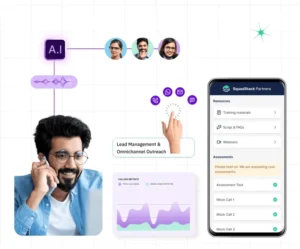
CRM Integration with Cloud Phone Systems


BLOG
CRM Integration with Cloud Phone Systems
-
CRM Integration with Cloud Phone Systems
-
Mobile Apps for Cloud Phone Systems: Transform How Your Business Connects
-
Remote Work Solutions with Cloud Communication
-
Secure Cloud Communication for Finance
-
Hosted PBX for Small Business: The Ultimate 2025 Guide
-
Auto Attendant Cloud Phone System: The Smart Way to Manage Business Calls
-
Benefits of Cloud Communication for Business
-
Business Phone Systems: How to Choose, Deploy & Scale in 2025
-
Cloud Based Unified Communications: The Future of Business Communication
-
Cloud-Based Voicemail to Email: A Smarter Way to Stay Connected
-
Cloud Communications vs Traditional Phone Systems: Which One Is Right for Your Business?
-
Cloud Phone Systems for Remote Teams: Stay Connected from Anywhere
-
Cloud VoIP Solutions: Everything You Need to Know for 2025
-
Disaster Recovery in Cloud Communications: Why It’s Critical for Business Continuity
CRM Integration with Cloud Phone Systems
CRM integration with cloud phone systems helps businesses streamline communication, improve customer service, and track call data in real-time. It connects phone calls with customer profiles, enabling smarter conversations and reducing time spent on manual updates.
Introduction: Why CRM and Cloud Phone Systems Must Work Together
In today’s fast-paced, customer-centric business world, every call counts. And every second saved on manual logging, contact lookups, or call follow-ups adds to your bottom line. That’s why integrating your cloud phone for business with a CRM (Customer Relationship Management) platform is no longer optional—it’s essential.
Whether you’re a startup looking to create a business phone number free or a large enterprise managing multiple phone lines under one number, CRM integration empowers your team with context-rich calls, streamlined workflows, and superior service delivery.
This blog explores how CRM + Cloud Phone integration works, its key benefits, and how your business can get started.
What Is CRM Integration with Cloud Phone Systems?
CRM integration with cloud telephony allows your VoIP phone system to exchange data with your CRM platform. Every call made or received is automatically logged, and customer records are accessible in real time during conversations.
Key features include:
- Auto-call logging and call notes
- Click-to-call from CRM dashboards
- Caller ID with real-time customer data
- Post-call analytics and reporting
- Syncing with platforms like Microsoft 365 Suite, Google Workspace, Slack Connect, or custom CRMs
With PhoneServ’s CRM-integrated VoIP system, even your best business phone line app becomes a sales and support powerhouse.
Benefits of CRM Integration for Business Communication
1. Improve Customer Service with Context-Rich Calls
Agents instantly see caller details, history, and previous interactions—no more asking, “Can you confirm your account number again?” This reduces frustration and improves call resolution speed.
Example: A user calls your telephone for business, and your agent sees their profile, past purchases, and recent tickets before answering.
2. Eliminate Manual Data Entry
All call data is synced automatically with your CRM, including call times, duration, notes, and outcomes. Your team can now spend more time on selling and less time typing.
Perfect for busy SMEs using phone systems for small business who want to optimize without hiring extra admin support.
3. Enable Data-Driven Decision Making
With integration, your call metrics live right in your CRM dashboard. Track missed calls, conversion rates, agent performance, and more using tools like Microsoft Office 365 apps or Google Workspace.
Pair that with voice over IP phones and interactive voice response systems for enterprise-grade efficiency.
Real-World Use Case: CRM + Cloud Phone for a Sales-Driven Startup
A tech startup in Toronto with 20 reps integrated PhoneServ’s VoIP provider for business with HubSpot CRM. Here’s how it changed their operations:
- Used virtual phone number for free to set up reps across provinces
- Agents clicked to dial directly from HubSpot using VoIP IP phone integration
- Every call was auto-logged with outcome notes and follow-up tasks
- Integrated Microsoft 365 email and calendar for complete customer visibility
- Gained call analytics via Office 365 account, reducing missed follow-ups by 60%
Common Platforms PhoneServ Integrates With
PhoneServ’s cloud communication platform integrates easily with:
| Platform | Use Case |
|---|---|
| Microsoft 365 | Email sync, call logging, calendars |
| Google Workspace | Gmail, Docs, Sheets, and Drive |
| Zoho CRM / HubSpot | Contact management, sales pipelines |
| Salesforce | Enterprise CRM workflows |
| Slack / Teams MSFT | Internal call alerts and chat integrations |
| Custom Webhooks | For proprietary CRMs or apps |
Now your business phone systems are more than just call tools—they become connected growth engines.
How to Set Up CRM Integration with PhoneServ
Setting up is easier than you think.
- Choose Your CRM: Pick from major CRMs like Salesforce, Zoho, HubSpot, or even Google Workspace. Consider pricing (e.g., G Suite pricing, Google Workspace email price) and your current stack.
- Connect via API or Plugin: Use built-in integrations or connect through PhoneServ’s APIs. Our team supports setups for Microsoft 365 website, Outlook, and third-party apps.
- Train Your Team: PhoneServ’s support ensures your staff knows how to use features like click-to-call, call notes, and auto-logging—available even when you add a business line to a cell phone.
Use Cases by Industry
- Healthcare: Sync patient calls with EMR platforms
- Finance: Log compliance calls with timestamped records
- Construction: Route client calls to site managers on mobile
- Education: Log parent-teacher calls into SIS platforms
- E-commerce: Tag sales inquiries and support tickets
With cloud phone for business, any industry can optimize inbound and outbound communication flows.
Conclusion: Smarter Calls Start with Integration
CRM integration is the missing link between your phone system and your business goals. By connecting your VoIP phone service with your CRM, your team gets the visibility, efficiency, and agility needed to win in a competitive market.
Get started today with PhoneServ.
Book a Demo or Request a Free Quote and see how CRM + cloud phone can transform your business communication.
FAQ: CRM Integration with Cloud Phone Systems
Q1: Can I use CRM integration with a mobile business line?
Yes! With PhoneServ, you can add a business line to your cell phone and still access CRM features.
Q2: Does integration work with Microsoft 365?
Absolutely. PhoneServ supports full sync with Microsoft 365 email, calendars, and contacts.
Q3: Can I get a free number for CRM calling?
Yes. You can create a business phone number free or get a free toll-free number with select PhoneServ plans.
Q4: What CRMs are supported?
We support all major platforms including Salesforce, HubSpot, Zoho, and Google Workspace. Custom integrations also available.